
Container registry
The app story in Cloudron is changing, slowly but surely. Traditionally, app packages were built by the Cloudron team on our build servers, and users simply installed those prebuilt packages from the App Store. Creating a custom package meant installing the Docker Builder app and pushing the result to the Docker Registry app.
With the rise of AI, it is easier than ever to experiment with custom apps and packages. We have made it a priority to simplify deploying and sharing them.
Source builds
In Cloudron 9.1, we made a fundamental change: packages can be built on the server itself, without the Docker Builder. New versions of the CLI default to this server-side workflow (cloudron install / cloudron update upload the source and build there), while still supporting the dedicated builder.
Community App Store
For sharing, we introduced Community packages. Third-party packagers publish a URL that anyone can use to install the package. As with the App Store, community packages pick up updates when the packager releases them.
To help people find those URLs, we launched the Community App Store. This has been an enormous success. Over 89 packages at the time of writing, all published in the last two months!
Introducing the Container Registry
The remaining gap was hosting. A community package still needs a Docker image that other Cloudrons can pull. The old cloudron build command was written mainly for our own app store workflow - building in a standalone builder, pushing the build into a registry and then submitting the package.
In Cloudron 10, that split goes away. The new Container Registry app both builds and hosts images, just like any modern registry. cloudron build is gone. The new cloudron builder build (similar to the Docker CLI) builds on the Container Registry and stores the image there.
Some features of the new Container Registry:
Docker/OCI compatible registry
It speaks the usual registry protocol. docker login/push/pull as you would with any other registry. It is a general-purpose container registry and can be used outside Cloudron i.e. the Cloudron CLI is only needed for deploying on Cloudron.
Browsable catalog
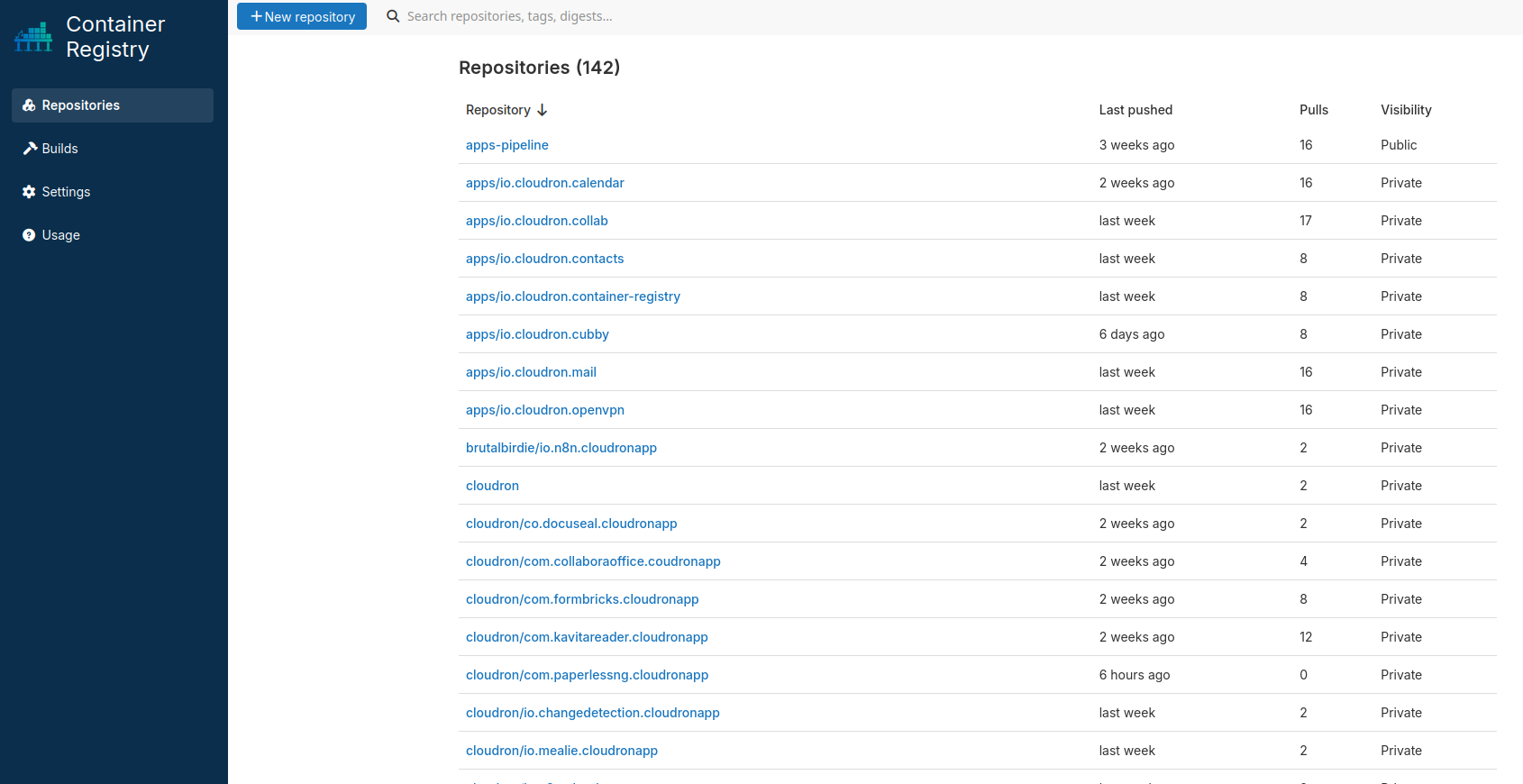
Repositories and tags are visible in the web UI: digests, sizes, platforms (including multi-arch), pull counts, and last pushed or pulled times. Search in the top bar finds repositories, tags, and builds.
Repository settings
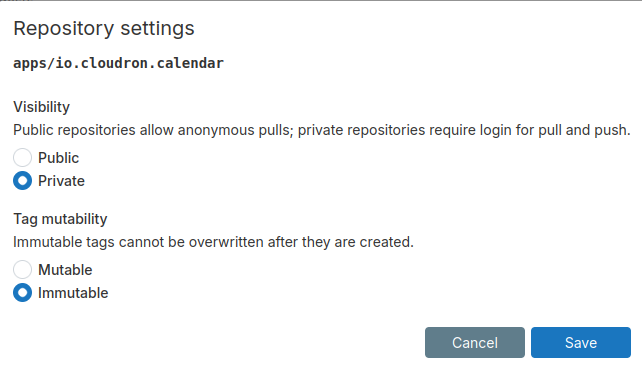
Each repository can be public (anonymous pull) or private (login required for pull and push). Tags can be mutable or immutable.
Builds
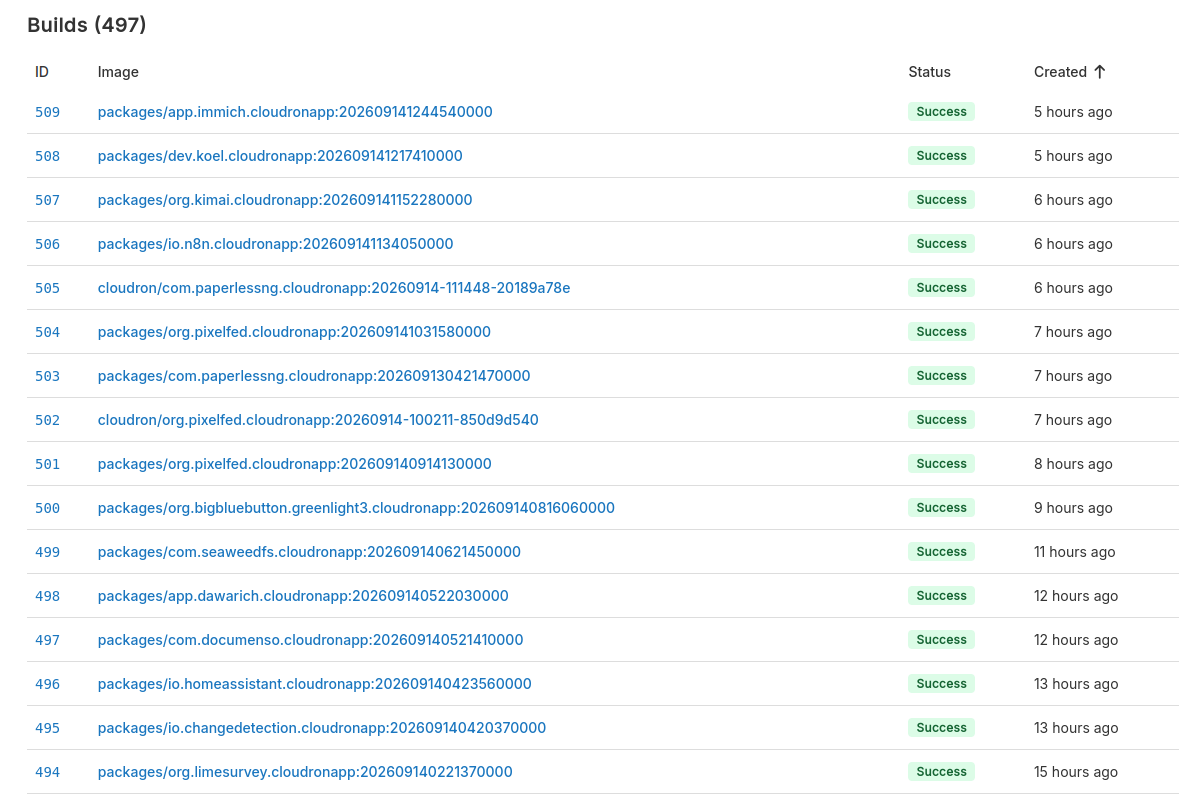
cloudron builder login and cloudron builder build send the build context to the registry. It builds with BuildKit and hosts the image in the same app. Builds appear in the UI with live logs and status.
This is also a security improvement over the old Docker Builder. That app built on the host Docker daemon, so a build could affect the rest of the server. Here, BuildKit runs inside the Container Registry app itself. Builds are sandboxed to the app and never touch the host Docker daemon.
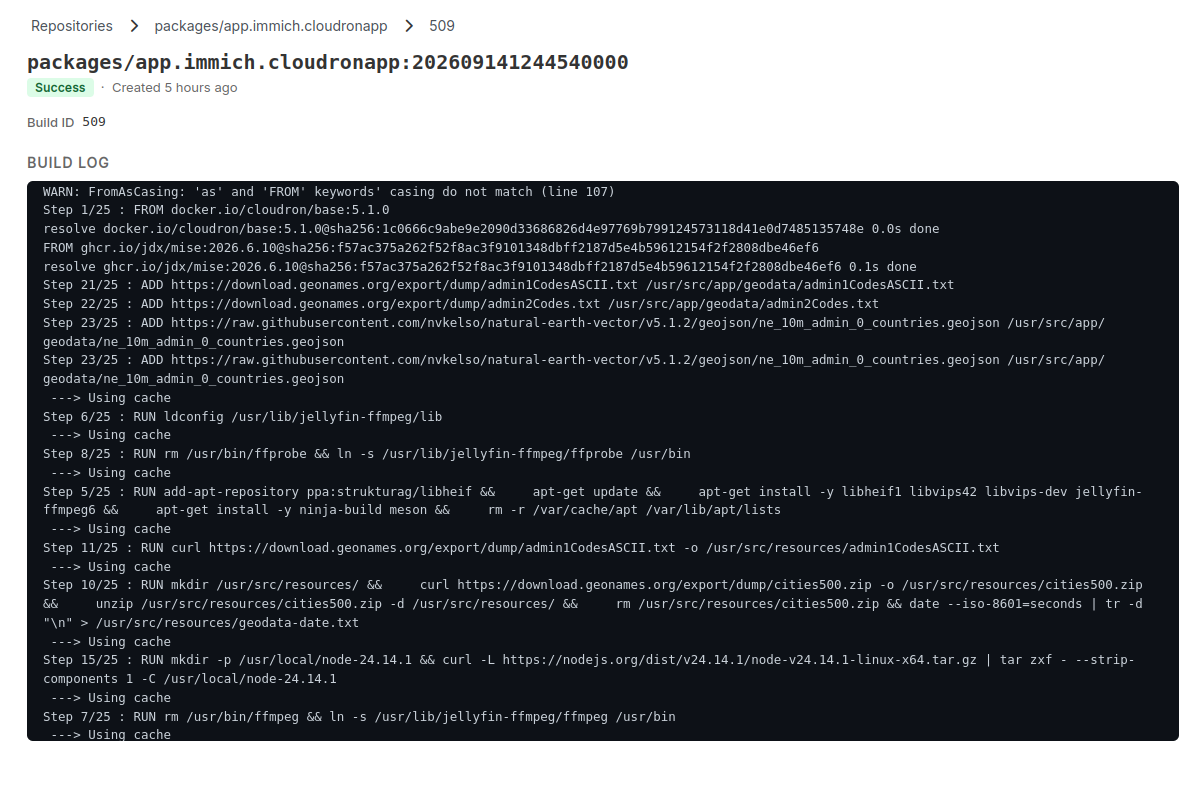
Build from triggers or webhooks
Builds can be automatically triggered on a source code push using the GitHub/GitLab integration.
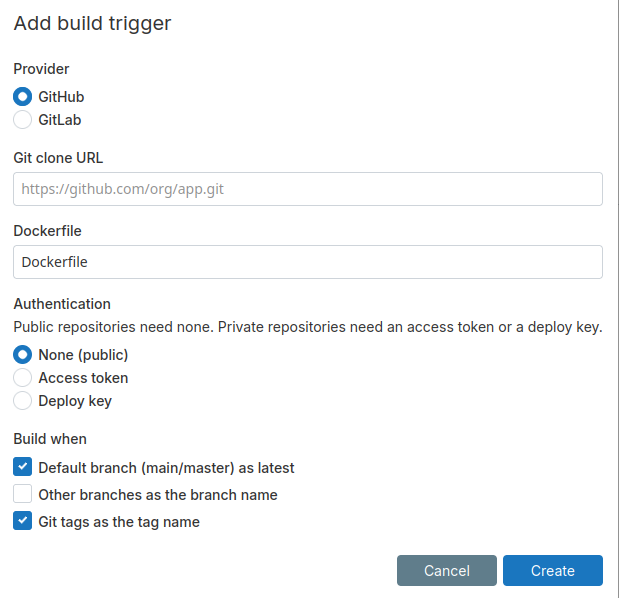
Tag expiry
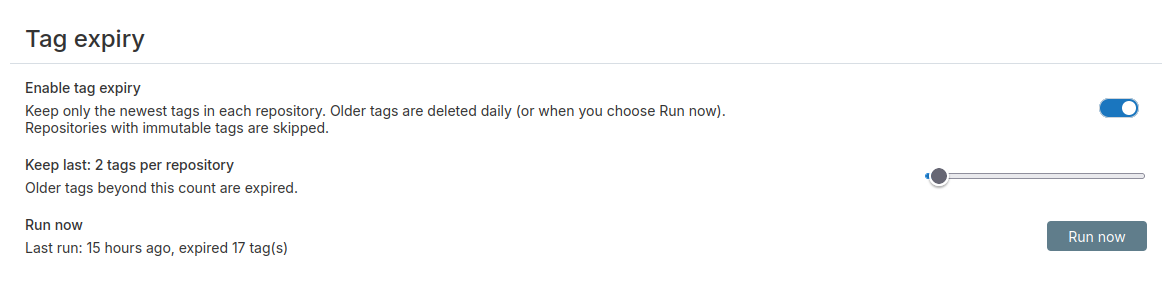
A common issue with self-hosting a registry is running out of disk. Tag expiry keeps only the newest N tags in each repository and deletes the rest. This is currently a global setting but future versions will support it per repository.
Give it a try!
Cloudron Registry can be installed from the App Store on Cloudron 10. Use the latest Cloudron CLI (v9.0.3) to point cloudron builder at it.
Comments, suggestions, feedback? Use our Forum.